Processing Form Requests
FormsRequestsProcessing
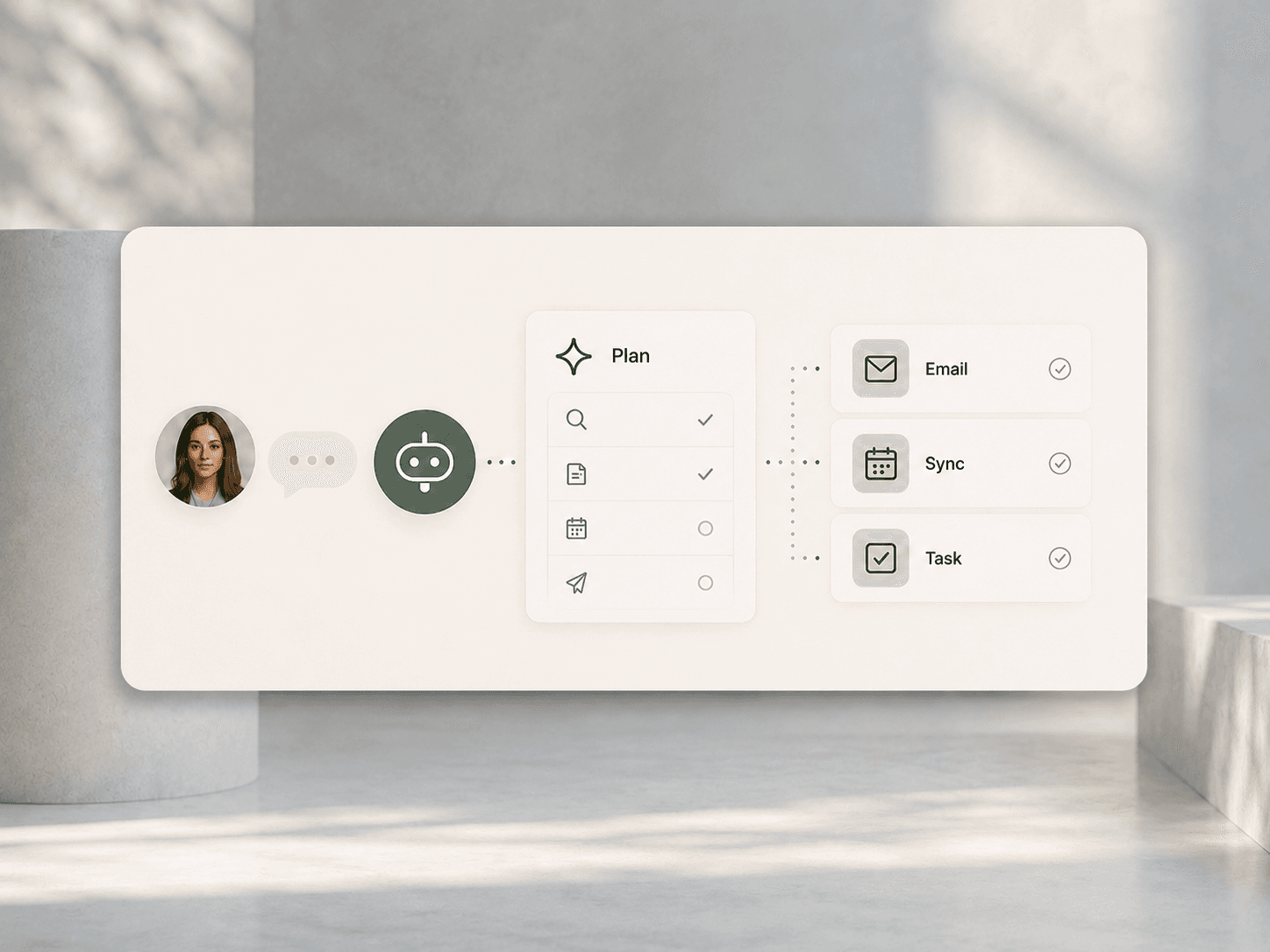
Automatically receive, categorize, confirm and route contact forms, quote requests, applications or support requests to the right place, with validation, duplicate checks and structured storage.
Automate
Website Processes.
We automate what happens after submission, from the form request and qualification to handover into CRM, sales or internal systems.
A contact form that qualifies the request, assigns it to the right person and creates a lead in the CRM. A download that triggers a follow-up sequence. A booking request that checks availability, sends confirmation and notifies the team. Between website and business process there are often many handovers. We automate exactly those handovers.
We connect forms, input flows and website actions with CRM, sales, project management, accounting and internal workflows. Requests are processed, qualified, assigned and forwarded reliably and traceably, without anyone forwarding emails or maintaining spreadsheets.
Many website processes still run manually. With the right integration, they can be fully or largely automated, from the form to the next system.
Automatically receive, categorize, confirm and route contact forms, quote requests, applications or support requests to the right place, with validation, duplicate checks and structured storage.
Evaluate, score and route requests to the right contact, team or sales channel based on form data, behavior and context, automatically and by clear rules.
Synchronize contacts, requests, activities and deals automatically between website and CRM, whether HubSpot, Salesforce, Pipedrive or a custom system.
Trigger confirmation emails, internal notifications, follow-up sequences and reminders automatically depending on request type, status or timing.
Check availability, confirm bookings, synchronize calendars and send reminders as one end-to-end process from form to booked appointment.
Pass form data, orders or requests automatically to project management, ERP, accounting, ticket systems or custom databases in a structured way.
Automation is only as good as the process behind it. These criteria decide whether website automation runs reliably in daily operations.
Every form submission is captured, confirmed and processed. Errors, incomplete data and special cases are detected and escalated to the right place.
Why a request was classified as relevant, who receives it and what happens next must be transparent for the system and for the people working with it.
Notifications, assignments and handovers happen promptly in the right channel: email, Slack, CRM task or project management tool.
New forms, changed responsibilities, additional qualification criteria or a CRM migration should be possible without rebuilding the entire workflow.
Consent, deletion periods, access rights and documentation are considered inside the workflow, not added afterwards as an extra layer.
Website automation connects forms, business logic, systems and notifications. We build the process from input to handover.
We understand existing workflows: which forms exist, what happens with the data, who handles what, where delays or errors appear. This creates a clear view of automation potential.
Rules, conditions, branches, escalations and edge cases are defined before implementation begins. This keeps the workflow clean even when unexpected inputs appear.
Forms are designed to deliver the right data in the right quality, with conditional fields, validation, duplicate checks and user guidance that does not create friction.
We connect website, CRM, email, calendar, project management, ERP, ticket system and custom databases through APIs, webhooks and suitable automation platforms.
Confirmation emails, internal alerts, follow-up sequences, reminders and status messages are set up so every request triggers the right response.
We monitor workflows, detect errors, measure throughput times and improve processes based on real data so automation keeps running reliably.
We build websites and automate processes. That combination makes sure form, user guidance, workflow and system integration are developed from one understanding.
We think forms, input logic, user experience and backend processes together instead of separating website and automation into different projects.
We develop automations ourselves with APIs, webhooks, automation platforms and custom logic. Not a preconfigured standard setup, but a workflow that fits the process.
HubSpot, Salesforce, Pipedrive, project management tools, ticket systems, ERP: we know systems and APIs and how to connect them cleanly.
A form is the first touchpoint. Confirmation, assignment and response logic need to fit the experience so the professional impression continues after submission.
When simple rules are not enough, AI can qualify and route requests more intelligently based on free text, context and behavior as a natural extension of the workflow.
We analyze existing forms, request processes and system integrations and build the automations that replace manual work.
Discuss ProjectProjects where forms, workflows and systems were connected into end-to-end processes.
It means that everything after a form request, booking or website action is guided technically: receive the request, confirm it, qualify it, assign it to the right contact, create it in the CRM, trigger follow-up and notify internal systems.
Contact requests, quote requests, applications, support requests, downloads, bookings, appointment requests, newsletter signups, orders and any other interaction that creates structured data and triggers a follow-up process.
Through APIs, webhooks or automation platforms. Form data is automatically created as contacts, leads or deals in the CRM with relevant fields, tags and assignments. This works with HubSpot, Salesforce, Pipedrive and many other systems.
The workflow detects special cases and escalates them: incomplete data, requests without clear assignment or inputs that require manual review. Not everything has to run fully automatically. The important point is that nothing gets lost.
Yes. If requests contain free-text fields or assignment is more complex than simple rules can handle, AI can analyze content, suggest categories and route requests more intelligently.
That depends on scope. A single form process with CRM connection and follow-up can be implemented compactly. More complex setups with several forms, qualification logic and system integrations need more concept work, testing and coordination.
In most cases, yes, if form data, website actions or technical interfaces are accessible cleanly. Whether the website runs on WordPress, Next.js, Shopify or another system is usually less important than access, data quality and the target process.
The effort depends on the number of processes, qualification complexity and connected systems. We clarify which process has the strongest leverage at the start and begin there with a clearly bounded scope.
Yes. Monitoring workflows, detecting errors, adapting processes and connecting new forms or systems: we support website automations long term after setup.
The best way to clarify which forms, requests and workflows can be automated for you is to discuss them directly.
Discuss Website WorkflowsBxW Agency
Wir nutzen notwendige Cookies für den Betrieb der Website. Google Analytics laden wir erst, wenn Sie zustimmen.